


Robinhood: Trading & Investing
4.2266.29K Reviews
App Specs
- Version
- 2026.22.2
- Updated On
- License
- Free
- Downloads
- 10,000,000+
- Developer
- Robinhood
- Categories
- Finance
- Platform
- Android, iOS
Screenshots
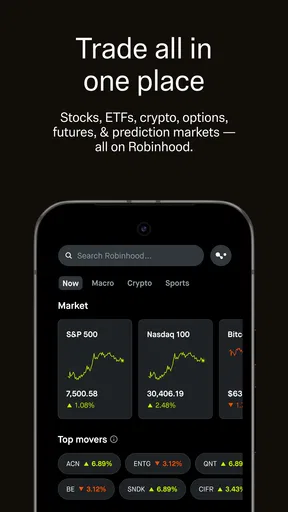
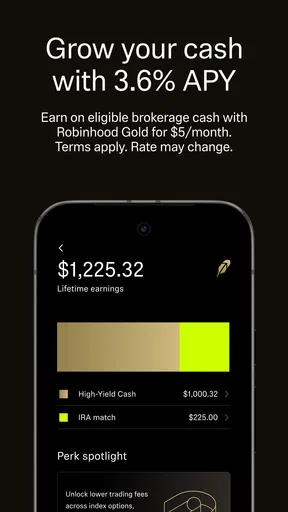
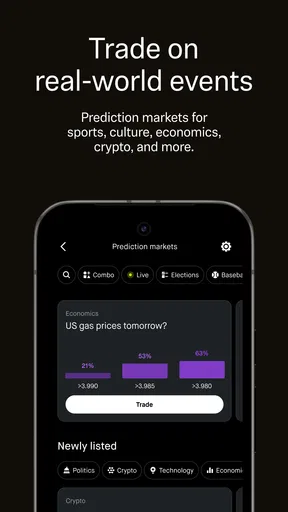
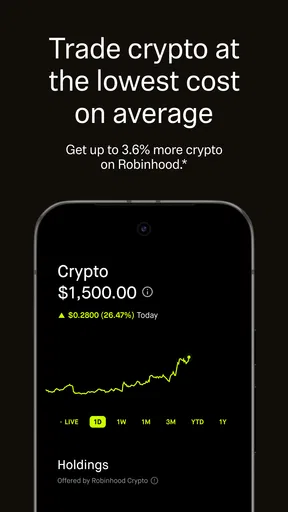
 Analysis by AppCompare
My first impression of Robinhood is that it puts a lot of financial activity behind a relatively simple screen. That can make it less intimidating to explore stocks and crypto, but a calm-looking interface is not the same as a low-risk investment. I’d treat the app as a way to manage decisions, not as a reason to make them faster.
Where beginners tend to get stuck
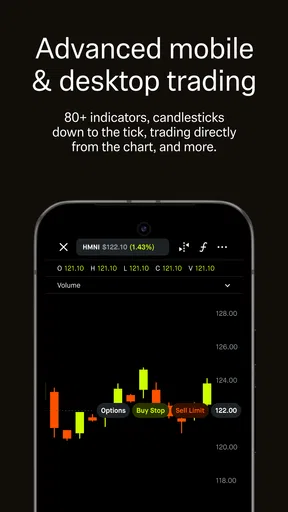
The most common point of confusion is the gap between browsing an investment and understanding what an order will do. A price on screen is only a snapshot; it can change before an order is completed, and different order choices can affect how a trade is handled. I recommend pausing on the review screen and checking the asset, amount, and order details before confirming anything. That small habit is more useful than trying to memorize every chart symbol on day one.
Another stumbling block is deciding what to do with a watchlist. Adding a ticker can feel like progress, but it is only a way to keep an eye on something. I use a watchlist to separate “interesting” from “ready to buy,” then revisit an idea later instead of treating a busy market day as a deadline. That distinction helps keep curiosity from turning into impulsive trading.
Robinhood: Trading & Investing is a finance app from Robinhood, and its store summary points to bitcoin, other crypto, stocks, and options. The breadth can be convenient, but it also means the app may put very different kinds of risk within reach. I would start with the products I understand and leave options or crypto alone until I can explain to myself how their value can change and what I could lose.
Setup checks before you make a move
Robinhood is free to download, is rated for Everyone, and has a 4.2 average from around 529,000 ratings. It has passed 10 million installs, which makes it a familiar option for many people, though popularity is not a measure of whether a particular investment suits you. The app first appeared on August 12, 2015, and its current version is 2026.22.2, with Android 7.0 as the minimum operating system.
Before relying on any finance app, I’d check that the app is current, that the device has a stable connection, and that I can access the email or other account-recovery route tied to my login. If sign-in fails, I’d avoid repeatedly guessing passwords; using the app’s official recovery flow is a safer first move. A biometric shortcut is convenient when available, but I would still make sure I know the underlying login details.
Account setup is also a good time to decide what “ready to invest” means for you. I would set a personal limit for money that can be exposed to market swings and keep everyday bills and emergency savings separate. The app can make it easy to move from reading about an asset to placing an order; a budget decided in advance gives that convenience a useful boundary.
Worth Reading Before You Choose

EA SPORTS FC Mobile 26 Is a Bigger Football Game, but It Takes Time

Flipboard Shows What News Apps Must Do Beyond the Feed

Switching to Android Auto Means Rethinking Your Driving Routine

Google Calendar Makes a Crowded Week Easier to Manage

Ludo King Makes the Most of the Minutes Between Plans

Baby Panda World Brings Quick Play to Modern Phones, but Its Game Library Feels Busy
Recovering a stalled workflow
If a screen seems stuck, I’d work through the simple causes before assuming the account is broken: check the connection, close and reopen the app, and see whether the same issue persists after the device has had a moment to refresh. If a quote or balance looks different from what I expected, I’d check the time and context of the display, then review the activity or order status rather than placing a second order in a hurry.
This is especially important when an order is pending or a market is moving quickly. Repeating the action can create confusion about whether the first attempt went through. I’d wait for the app to show a clear status, then use Robinhood’s in-app help if the situation remains unclear. Keeping a brief note of what I tapped and when can make a support request more useful without sharing passwords or sensitive login codes.
When the app may not be the problem
Not every frustrating moment points to a software fault. A market price can move while you are reading a screen, an order can behave differently from the price you had in mind, and an asset can carry risks that are not obvious from a compact summary. I try to separate a technical problem, such as a page that will not load, from an investing outcome I simply dislike. They call for different responses: troubleshoot the first, and carefully reassess the second.
Robinhood has a large audience, with around 266,000 reviews alongside its ratings, but no app can remove uncertainty from investing. I would not use a smooth interface as a substitute for research, and I would not assume that a popular asset is automatically a sensible choice. For decisions that affect taxes, debt, or a long-term plan, a qualified professional or a more comprehensive planning tool may be a better fit than a quick in-app decision.
Getting Started with Robinhood
First things first, you’ll find the Robinhood: Trading & Investing app available for download on both Android and iOS, making it super accessible no matter your device preference. Signing up is a breeze. With a clean, intuitive interface, you’re guided through setting up your account in a matter of minutes. Trust me, even if you're not tech-savvy, you'll feel like a pro in no time.
Robinhood keeps it straightforward with no commission fees on trades. That’s right, you can buy and sell stocks without the pesky overhead costs eating into your profits. This feature alone sets it apart from many traditional brokerages, making the app particularly appealing to those who want to get the most bang for their buck.
The User Experience
Once you're in, you'll notice the app’s minimalistic design, which isn’t just for aesthetics. It’s designed to make navigation easy and less overwhelming, especially for those new to investing. You won't find yourself lost in a sea of charts and numbers. Instead, everything is organized neatly, making it easy to track your investments, view market data, and execute trades.
Robinhood also offers fractional shares, which is a game-changer. If you’ve ever wanted to own a piece of a high-priced stock like Amazon or Tesla but didn’t want to shell out thousands, this feature lets you buy a fraction of a share. It’s like being able to buy a slice of your favorite pizza instead of the whole pie.
Features That Stand Out
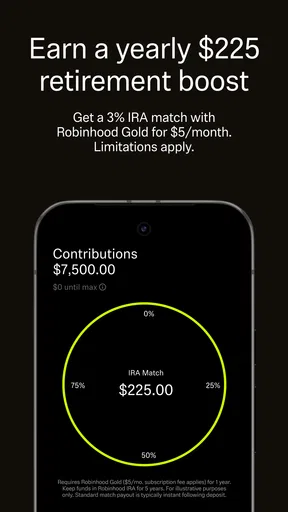
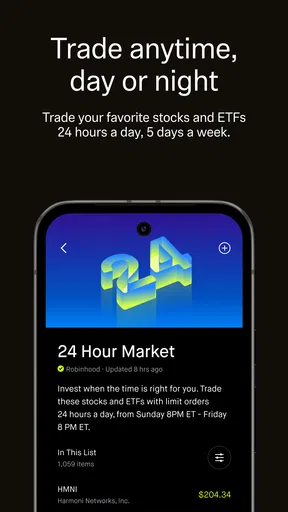
One of the standout features is the Robinhood Gold subscription. For a monthly fee, it offers perks like extended trading hours, bigger instant deposits, and access to professional research reports. If you're serious about your trades, this might be worth considering.
Another nifty tool is the cash management feature, which allows you to earn interest on your uninvested cash. Plus, with a debit card that offers no-fee withdrawals at ATMs, it’s like having a mini bank account within your trading app.
Security and Support
Security is a biggie when it comes to trading apps, and Robinhood takes it seriously. The app offers two-factor authentication and biometric login options to keep your account secure. Peace of mind is priceless, especially when it comes to your hard-earned money.
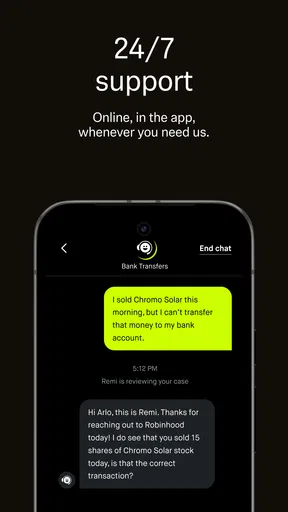
When it comes to customer support, Robinhood has made strides in improving its services. While they might not offer phone support, their in-app help center and email support are responsive and helpful. It's not perfect, but they're making moves in the right direction.
Comparing it with other investing apps
Compared with a traditional brokerage app, Robinhood’s appeal is its approachable layout and emphasis on quick access rather than a dense dashboard. That simplicity is handy when I want to check a holding or make a straightforward stock decision, but investors who depend on deep research, detailed portfolio planning, or a broad range of account tools may prefer a more research-led platform. I’d choose based on the work I need the app to do, not just how uncluttered it looks.
Compared with a dedicated crypto app, having crypto alongside stocks and options can make one account feel convenient for someone who follows several asset types. The trade-off is that convenience can encourage frequent switching between very different markets. I’d keep a clear plan for each asset class and avoid treating crypto’s volatility like ordinary day-to-day movement in a stock portfolio.
A practical routine for everyday use
Imagine checking the app during a lunch break because a company you follow has appeared in the news. I would read the available information, compare it with the reason I added the stock to my watchlist, and decide whether anything meaningful has changed. If the only change is a sudden price move, I might do nothing and revisit the idea later. That is a real use of a trading app too: sometimes it helps you avoid an unnecessary trade.
Fractional shares can be useful when I want to invest a set amount rather than commit to a whole share. The non-obvious trade-off is that owning a small fraction does not make the underlying company less risky; it only changes how much money I put into that position. I’d use fractions to size an investment deliberately, not as a reason to collect lots of companies I have not researched.
I’d also think carefully before paying for Gold. Research access or extended hours may matter to someone who regularly uses those tools, but they are not automatically valuable to a casual investor. Extended trading can bring its own decision pressure, so I would not subscribe just because it sounds more advanced. First ask whether a specific feature solves a real problem in your routine, then weigh that against the recurring fee.
Who will get the most from it
I think the app is best for someone who wants a straightforward place to follow and manage investments, is comfortable learning as they go, and can stick to a personal budget. It may also suit an investor who values fractional-share access and wants stocks and crypto visible within one finance app. New users should still take time to learn the difference between asset types and order choices before moving beyond small, considered decisions.
I’d look elsewhere if you want hands-on financial planning, extensive research tools as the center of the experience, or a platform that discourages frequent trading. It is also not a substitute for a savings account, a diversified long-term plan, or professional advice when your situation is complicated. The right alternative depends on the gap: a research-focused brokerage for deeper analysis, a budgeting tool for spending decisions, or a qualified adviser for personalized planning.
Final Thoughts
In the end, Robinhood: Trading & Investing is a fantastic choice for both novices looking to get started and experienced traders seeking a commission-free platform. Its user-friendly design, no-fee trading, and innovative features like fractional shares make it a standout in the crowded field of trading apps.
Whether you’re aiming to build a retirement fund, save for a big purchase, or simply try your hand at stock trading, Robinhood offers a solid platform to meet your goals. So why not give it a whirl and see if it suits your investing style? Happy trading!
My practical verdict
Robinhood is worth considering if you want a mobile-first way to keep an eye on investments and make straightforward trades without facing a crowded interface. Its free download and approachable design lower the barrier to getting started, but the responsibility for choosing suitable investments and managing risk stays with you. I’d use it with a plan, review each order before confirming, and resist checking every price movement as if it demands action.
My main reservation is that quick access can make investing feel more casual than it is. If you are still deciding whether to use the app, ask yourself whether you want a simple trading interface or a fuller financial-planning relationship. For the first need, it can be a comfortable starting point; for the second, another service may serve you better. That is the difference between a useful tool and the right tool for your circumstances.
Pros
- User-friendly interface for beginners.
- Commission-free trades enhance savings.
- Real-time market data access.
- Customizable alerts for stock updates.
- Fractional shares enable diverse investments.
Cons
- Limited research tools for analysis.
- Customer support response lags.
- Lacks comprehensive educational resources.
- No retirement account options available.
- Occasional app stability issues reported.
FAQs for Robinhood: Trading & Investing
Is Robinhood safe to use for trading and investing?
Yes, Robinhood is generally considered safe for trading and investing. The app is regulated by the Securities and Exchange Commission (SEC) and is a member of the Financial Industry Regulatory Authority (FINRA). Additionally, Robinhood provides Securities Investor Protection Corporation (SIPC) insurance, which protects users’ funds up to $500,000, including a $250,000 limit for cash claims.
What fees does Robinhood charge for trading?
Robinhood offers commission-free trades for stocks, options, and cryptocurrencies. However, there may be other fees involved, such as regulatory fees on certain transactions. It's important to review their current fee schedule on the official website or app to understand any potential costs involved in trading and investing.
Can I trade cryptocurrencies on Robinhood?
Yes, Robinhood supports trading of cryptocurrencies. Users can buy and sell popular cryptocurrencies like Bitcoin, Ethereum, and Dogecoin directly through the app. It's a convenient option for those looking to diversify their investment portfolio with digital currencies without needing a separate crypto wallet.
What are the drawbacks of using Robinhood for investing?
While Robinhood offers an easy-to-use platform with no commission fees, it has some drawbacks. The app has limited research tools and educational resources compared to other platforms. Additionally, Robinhood has faced scrutiny for outages during high-traffic periods, which can impact trading. It's essential to weigh these factors before deciding.
How does Robinhood's fractional shares feature work?
Robinhood allows users to purchase fractional shares, which means you can buy a portion of a stock rather than a full share. This feature enables investors with limited funds to invest in high-priced stocks. You can specify the amount you want to invest in dollars, and Robinhood will purchase the equivalent fraction of the share for you.


